Visualiser-Instructions
User Instructions:
change your directory to Applications_Visualizer in your terminal and run pip install -r requirements.txt
- NOTE: Make sure to run on python 3.9 or 3.10.
run python gui_main.py
- NOTE: If there are still any modules missing install them.
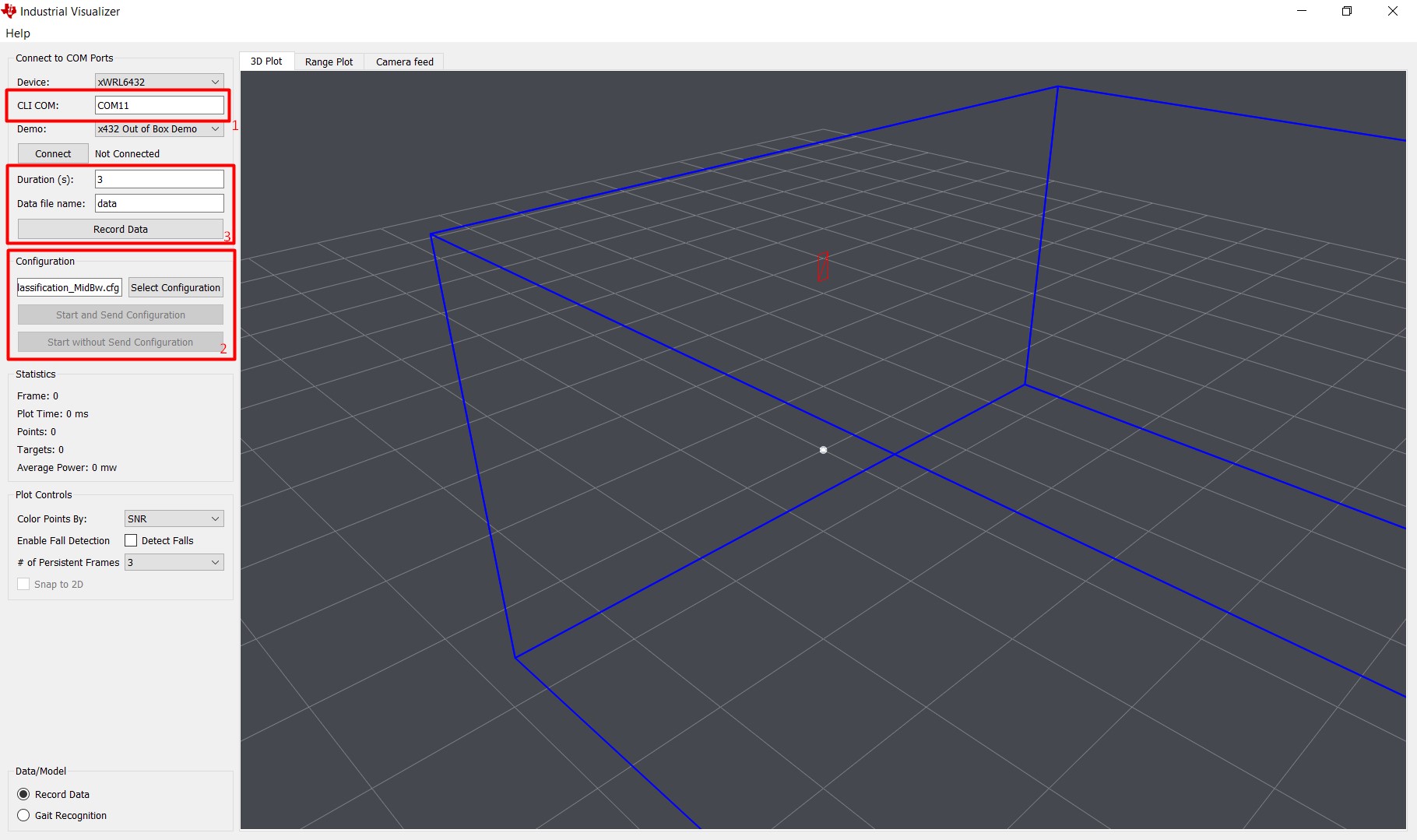
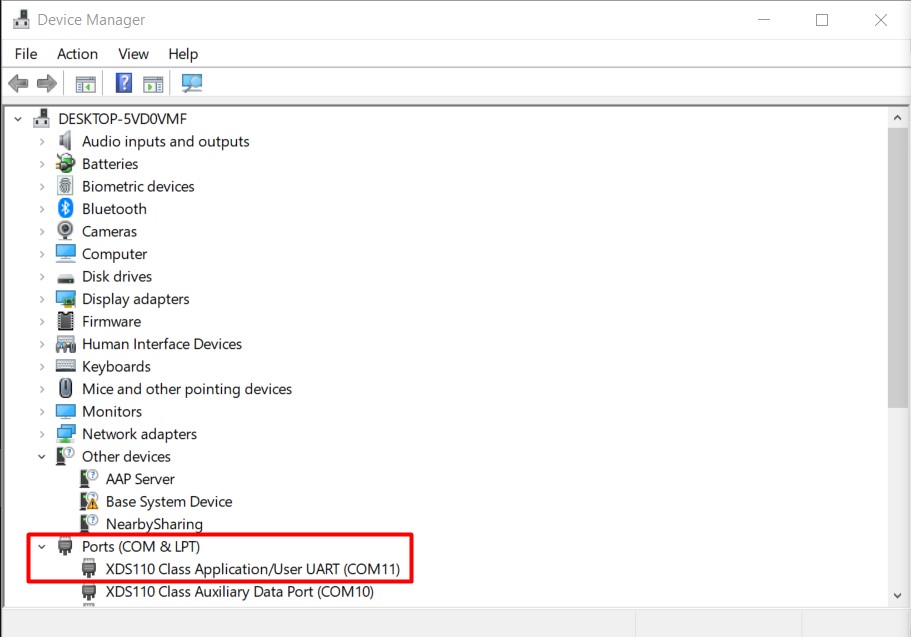
1. Enter the COM port (for WINDOWS) in the field CLI com port
Find the COM port number: device manager find UART port number
Press the connect button, then press the Select config button.
!
- NOTE: For a linux port use the command readlink -f /dev/serial/by-id/* and enter the CLI port in the format /dev/ttyACM0 (commonly the top one in the list)
- NOTE: The reset button does not work on linux => you will need to reset device manualy.
2. In Applications_Visualizer\ chirp_configs choose one of the config files and press Open.
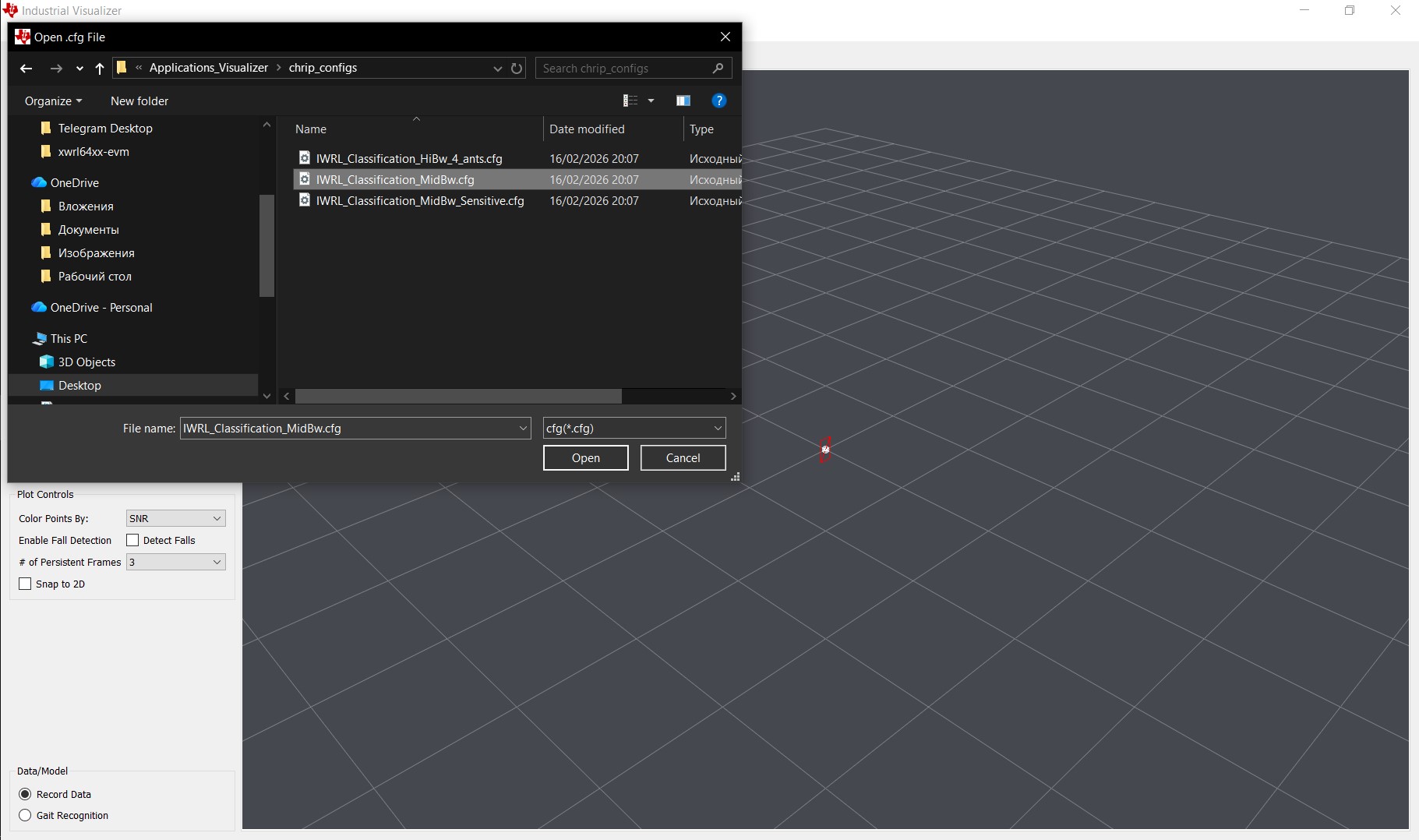
- Press the Start and Send configuration button.
3. To record data: set the time in seconds (3 seconds is the default) and press the Record Data button. Use a file name if needed. Also select the data collection model.
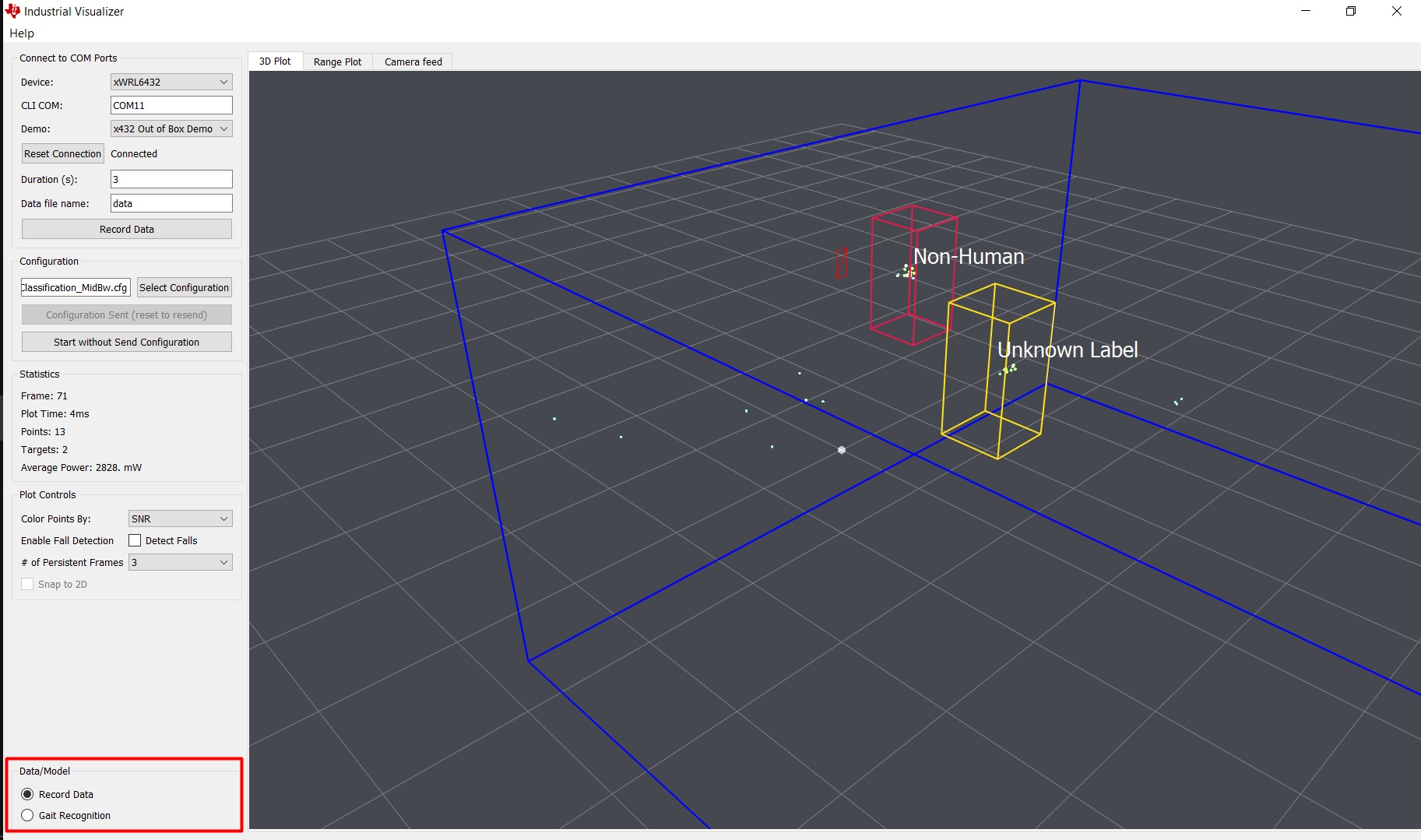
- Recorded data will be located in
Applications_Visualizer\binData